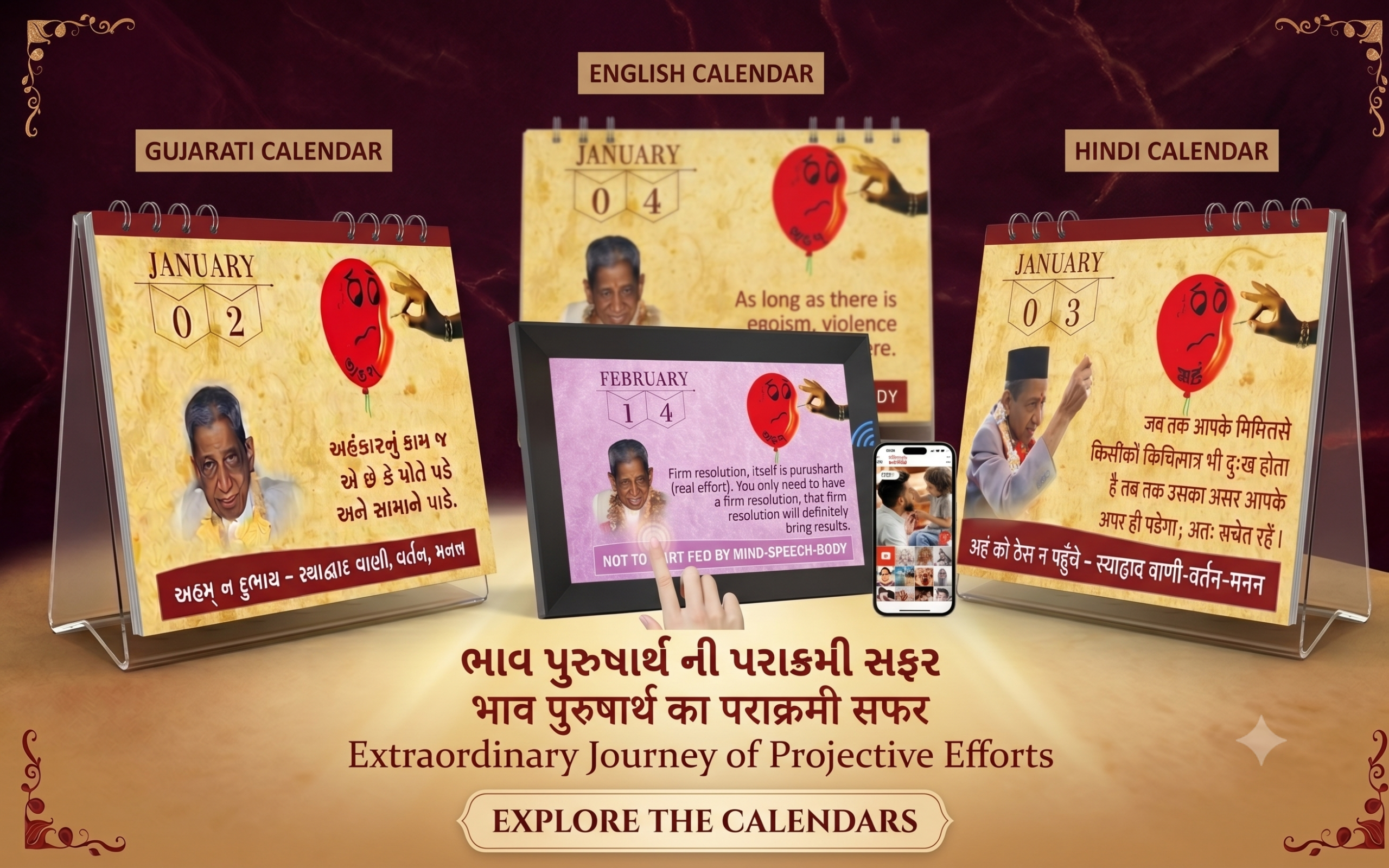
Set up a beautiful, 365-day Purusharth calendar designed specifically for your digital photo frame. This is a perfect addition to your desk or wall, allowing you to easily switch the daily quote either manually or set it to update automatically.
 Hardware Instructions
 Hardware Instructions
To ensure the artwork is displayed perfectly without being cropped or stretched, a 16:10 aspect ratio is crucial. We highly recommend using a 10.1-inch digital photo frame, which can be easily purchased on Amazon or from any major electronics retailer.
Download Instructions
 Download Instructions
(Note: Clicking the links below will automatically download a .zip file to your device. If you see a warning stating “Google Drive can’t scan this file for viruses,” just click “Download anyway.”)
Setup Instructions
 Setup Instructions
Download: Use the links above to download the Gujarati, English, or Hindi image folder directly to your desktop or laptop PC.
-
Extract: Unzip the downloaded folder on your computer.
-
Transfer: Use your PC to transfer the unzipped images to your digital photo frame. Generally, this is done by copying the files onto a USB drive or SD card and plugging it into the frame, or by uploading them via the frame vendor’s Wi-Fi mobile app.
-
Sort: Ensure the images are sorted by their sequential numbers in the frame’s media library.
-
Display: You can swipe manually every day to match the current date. For an automated experience, adjust your frame’s “slideshow” settings so the image changes automatically once every 24 hours!